A radius search makes it easy to find listings near a specific address. Have a client who wants to live within one mile of their office? With radius search now available on Android and mobile web, you can find the perfect listings while on the go.
Who gets it?
Android and mobile web browser users
Why does this matter?
We’re committed to creating a seamless experience across desktop and mobile. By bringing familiar Flexmls desktop features to the Android app and mobile web browser, we’re delivering greater consistency and making it easier for users to move effortlessly between devices.
When is this live?
February 17, 2026
What is changing?
Users can now create a radius search on mobile.
From the map, select the pin icon, type a specific address, and then specify the radius you would like to search from that address. You can use the arrows to increase or decrease the radius, or you can type in the number of miles. Once you have specified the radius you would like to search, tap Confirm Address. Your search results will display listings within the radius you have selected.
From there, you can edit the radius search. Tap the circle to make changes to the shape, such as changing the color, shape name, or shape size. Tap Edit Shape to drag the shape bigger or smaller. Tap Delete Shape to delete the radius search altogether.
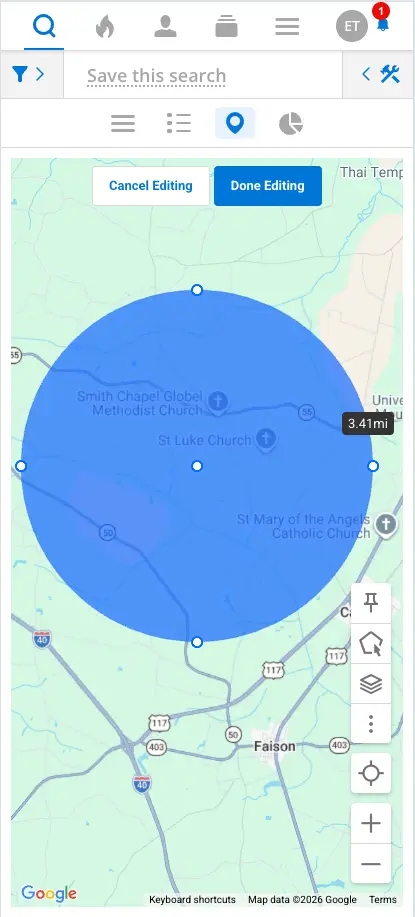
The radius search can also be accessed from the search filters.