Complete History of Listing Changes
Gain more insight into listing activity with the new Listing Audit feature in Flexmls. Listing Audit provides a detailed record of changes made to a listing, making it easier to track updates, identify who made them, and see when they occurred.
Who gets it?
Listing Audit is available to select MLSs using the new Flexmls Listing Maintenance module. Any user with permission to edit a listing can access its audit history.
Why does this matter?
Listing Audit provides a comprehensive record of changes to listing data and media.
This added visibility helps in the following ways:
- Brokers can monitor changes made to listings, identify potential training opportunities, and better understand when updates occurred.
- Agents can see exactly what changed and who made the update, making it easier to resolve questions or follow up with the right person.
When is this live?
This feature is available October 20, 2026.
What is changing?
The new Listing Audit provides a detailed history of listing activity, beginning when a listing is first published to the MLS.
For each change, users can see:
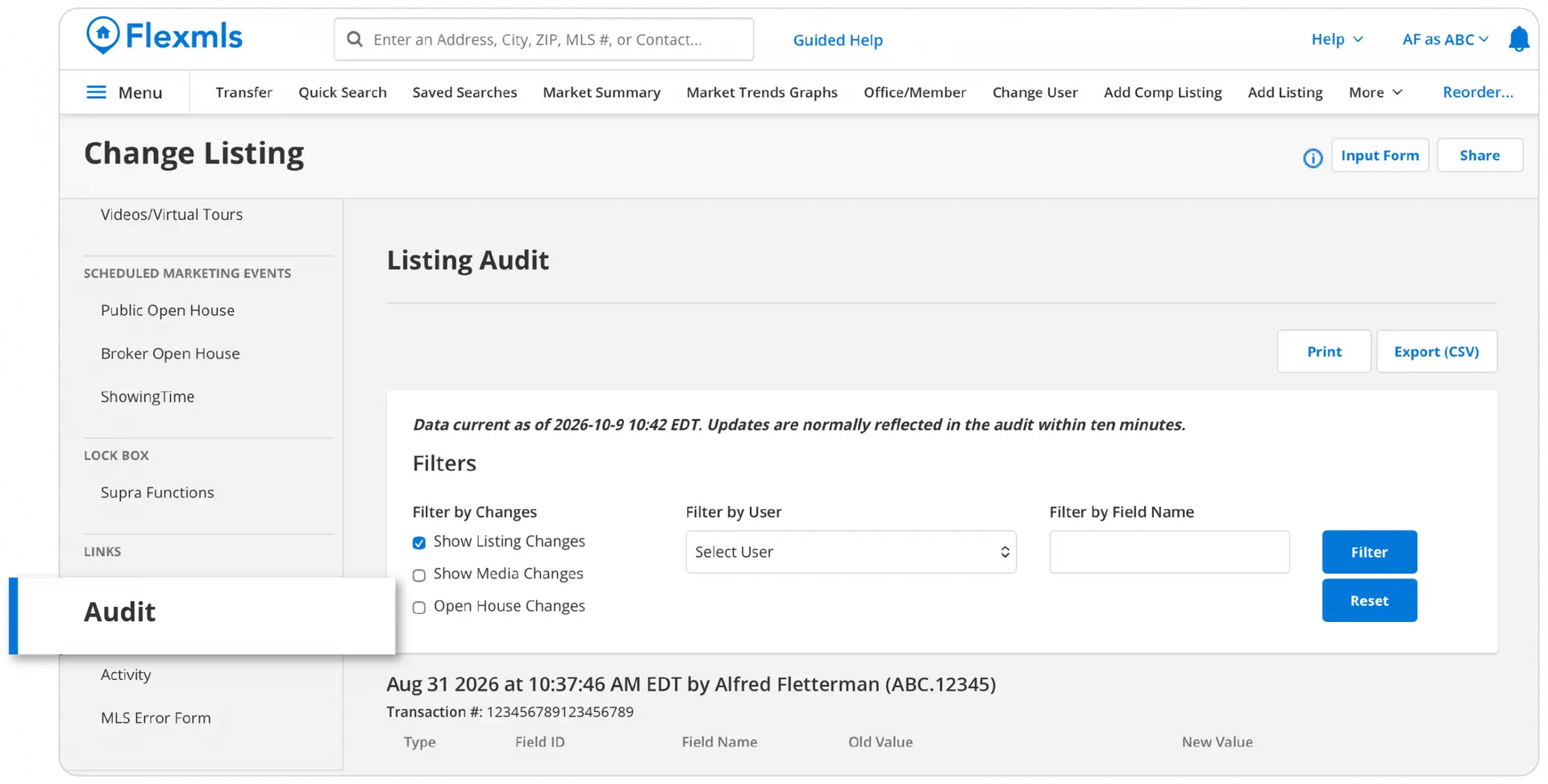
- What changed: The field name, previous value, and new value.
- Who made the change: The name and login ID of the person who made the update, including superuser information when applicable.
- When it changed: A timestamp showing when the update occurred.
- What type of activity occurred: Changes to listing fields, media, and open houses.

Listing Audit also includes tools to make reviewing activity easier:
- Search and filter to quickly locate specific fields or changes.
- Print and export options, including CSV downloads, to save or share records.
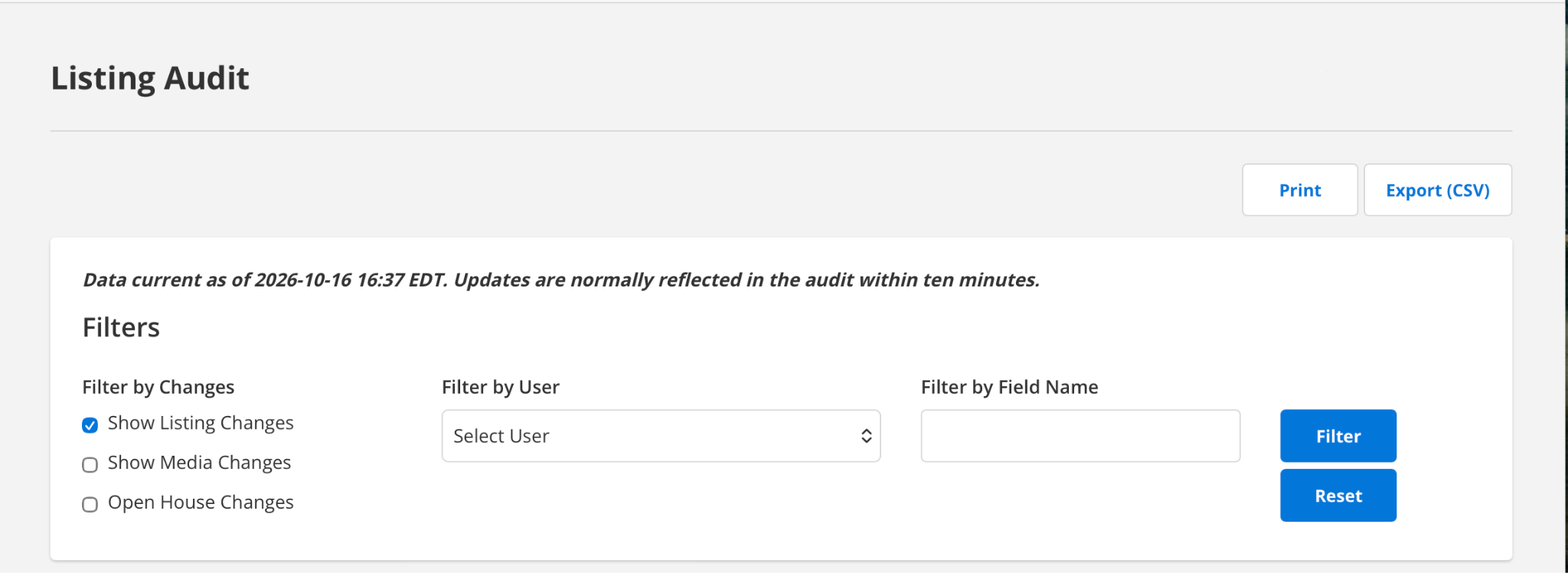
Changes typically appear in Listing Audit within approximately 10 minutes.
How to Access Listing Audit
From the Flexmls Mega Menu, select Change Listing. Select the listing you’d like to review. In the left-side menu, find the Links section and select Audit.
Please note: Listing Audit begins recording detailed activity when your MLS goes live on the new Listing Maintenance module. Changes made before that date will not appear in Listing Audit, although previously recorded information remains available in Listing History.
This feature is not available in the classic Listing Maintenance module.