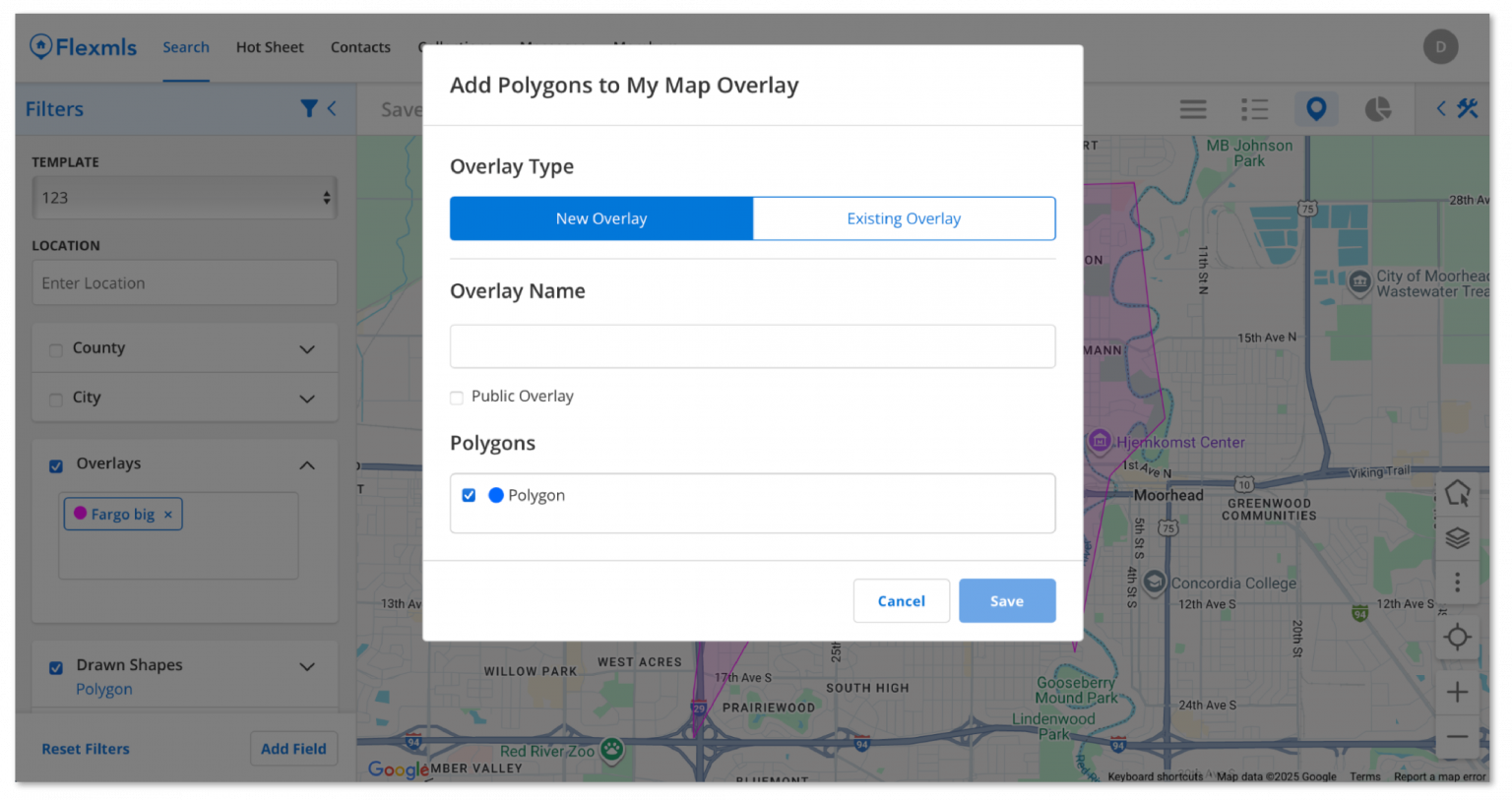
We have extended the functionality when using overlay shapes to search on mobile.
Who gets it?
iOS, Android, and mobile web Flexmls app users.
When is this live?
October 7, 2025
Why does this matter?
This enhancement ensures that the same Overlay functions you use on desktop are available on the go, so you can seamlessly switch between platforms and easily pick up where you left off.
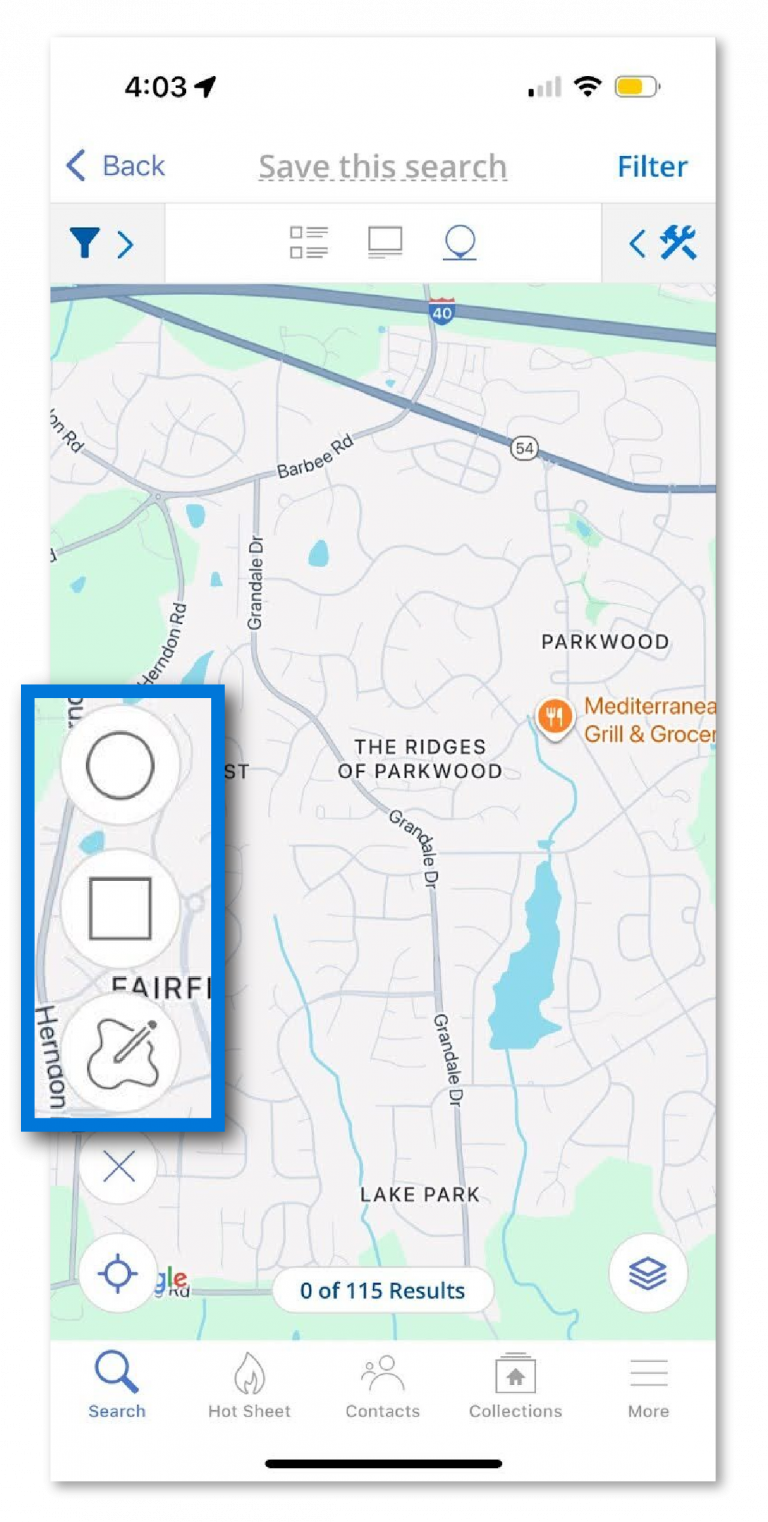
On the map view in iOS, you’ll see new icons that you can select to draw a circle or a rectangle, in addition to free-drawing a custom shape.
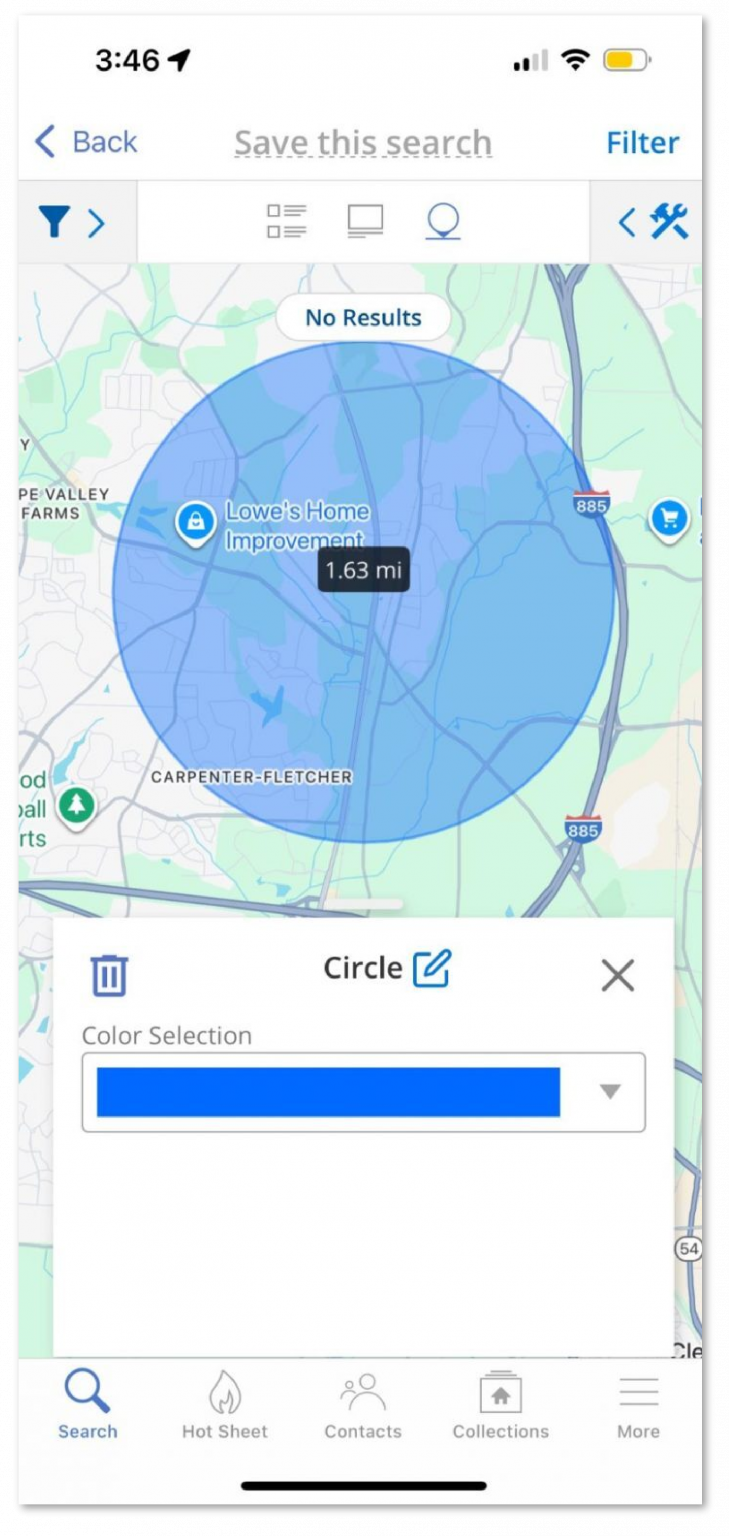
Click on a shape to delete it or edit it. Click the trash can icon (iOS) or Delete Shape (Android and mobile) to delete the shape altogether. Click the Edit icon next to the shape name to change the name. Click the dropdown under the Color Selection field to change the shape color.
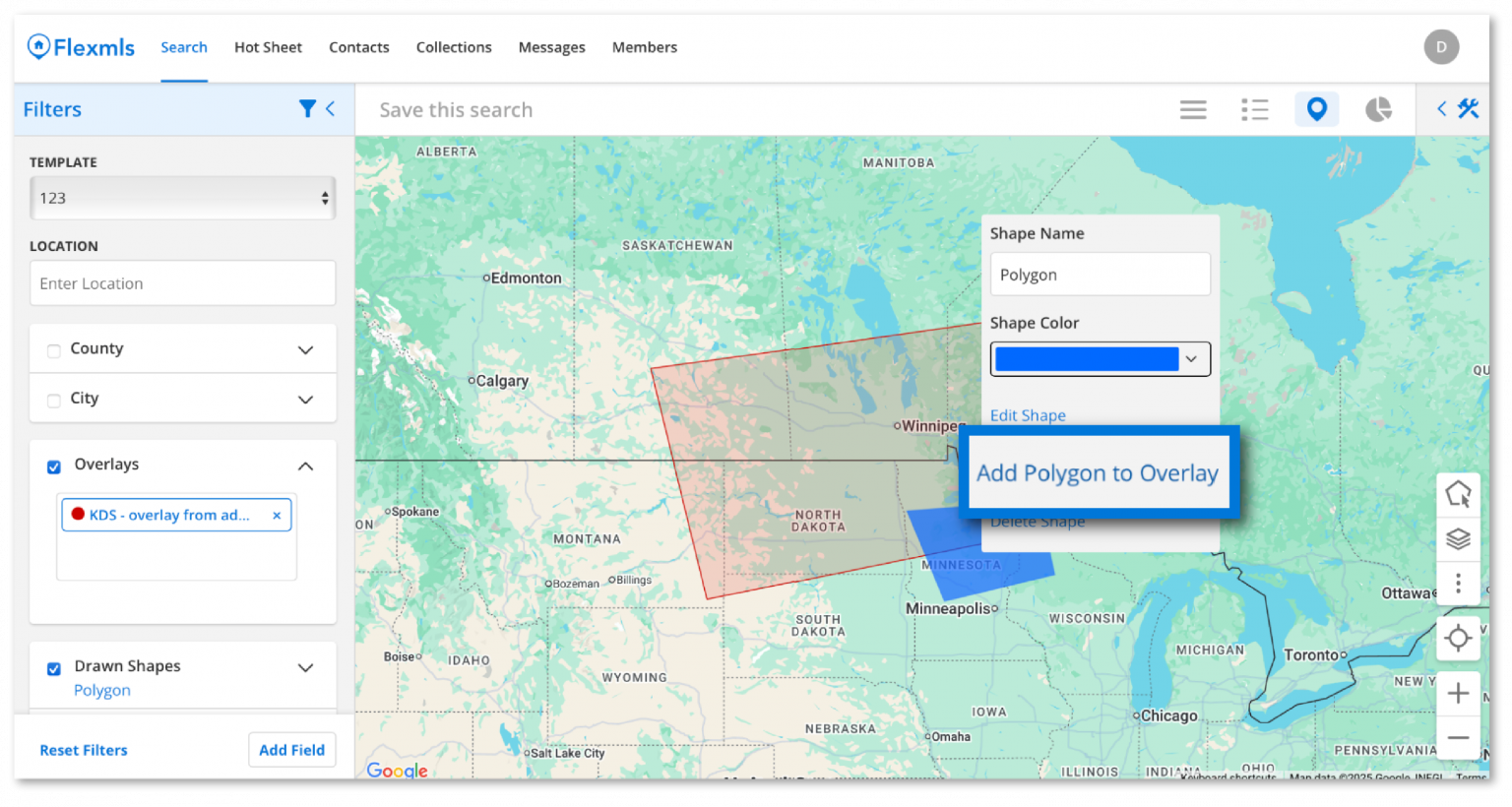
On Android and mobile web, you have even more options. If you have an existing map overlay, you can draw a new polygon and add that to your overlay so that it is available the next time you search.
You can save your shape as a completely new map overlay. This will also be available soon on iOS.